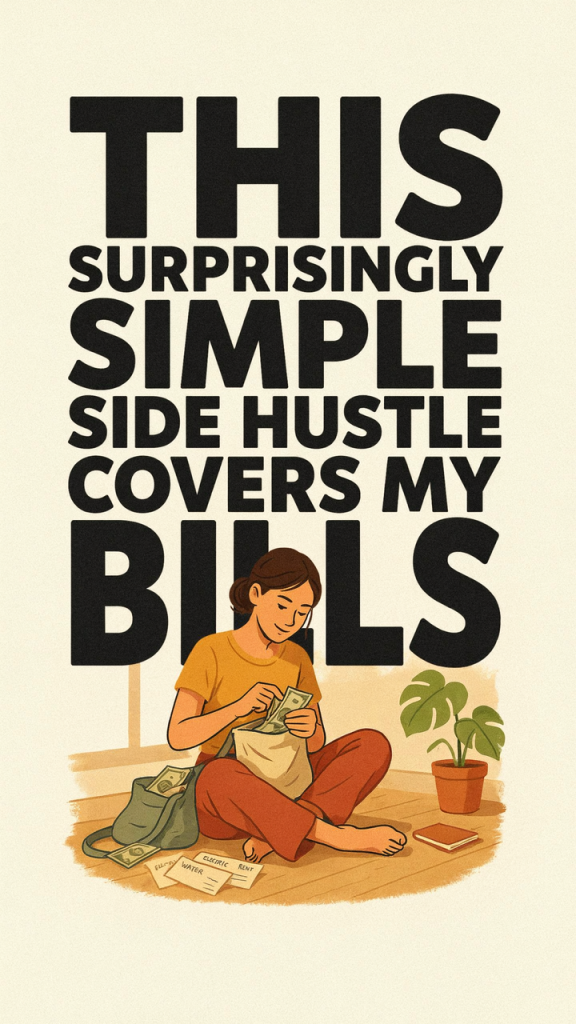
Have you ever stood in the kitchen, balancing a baby on one hip and a stack of bills on the counter, and wondered how you could earn a reliable, flexible income without missing the moments that matter? That was me two years ago. I wanted something I could do in 30–60 minute chunks between naps and pickups — something that didn’t require a commute, a daycare schedule, or late-night client calls. I started selling digital printables and Canva templates, and before long that surprisingly simple side hustle began covering my monthly bills. If you’re a stay-at-home mom (or anyone needing flexible extra income), I’m sharing exactly how it works, how you can get started, and how to scale it so it works for your life.
What the side hustle is
The side hustle I’m talking about: creating and selling digital printables and templates. These are downloadable, instant-access digital files — think weekly planners, chore charts, budget trackers, meal-planning templates, homeschool lesson planners, party invitations, Canva social media templates, and more.
Key features:
– Created once and sold repeatedly (digital product = near-passive income).
– Low startup cost: mostly time and optionally a small subscription (Canva Pro, Etsy listing fees).
– Flexible work: design, list, and promote from home on your schedule.
– Multiple sales channels: Etsy, Shopify, Gumroad, your own website, or bundles on marketplaces.
I design products in Canva, optimize listings for Etsy and Pinterest, and funnel buyers into a small email list where I offer bundles and seasonal updates. It’s simple, scalable, and perfectly compatible with parenting life.
Build “A $373/Day AI Powered Side Hustle In Just 5 Days”
Follow the step-by-step training to turn practical AI skills into a focused income stream.
Why it works
This business model works for several reasons:
- Evergreen demand: People always need organization tools — parents, students, small business owners, and planners. That translates to a consistent long-term market.
- Low friction for buyers: Instant downloads and immediate utility make these products an easy purchase, especially for time-strapped customers.
- High margin: No inventory, shipping, or manufacturing costs. After initial creation, each sale is mostly profit.
- Reusability and variety: You can repurpose designs (color variations, different sizes, editable templates) to expand your catalog quickly.
- Search + social traffic synergy: Etsy SEO + Pinterest visuals = consistent traffic. Add an email funnel and you get repeat buyers.
For me, the combination of listing on Etsy and driving traffic with Pinterest pins (plus a little email marketing) created steady sales that grew month over month.
How to get started step-by-step
Here’s a practical, parent-friendly roadmap you can follow in weekends and nap times.
- Pick a niche (1–2 hours)
- Choose a specific audience: meal-planning for busy moms, homeschool planners, budget trackers, party printables for moms on a budget, or Instagram Canva templates for small businesses.
- Tip: Start with something you already know and use — your best ideas come from your own pain points.
- Research (2–3 hours)
- Browse Etsy and Pinterest for top-selling keywords and listing photos.
- Note pricing, formats (PDF, PNG, Canva template), and gaps you can fill.
- Use free tools: Etsy search autocomplete, Pinterest manual search, and Etsy listing reviews.
- Create your first product (2–6 hours)
- Use Canva (free or Pro) to design a clean, editable printable or template.
- Create multiple sizes or a fillable PDF if you can.
- Save export files at the correct resolution and formats.
- Set up your sales channel (1–3 hours)
- Etsy: easiest to start; set up shop, write SEO-friendly titles/tags, and upload mockup images.
- Or Gumroad/Shopify: if you want your own branded store.
- Create a simple product image (mockups) and a clear product description with keywords.
- Create a tiny funnel (2–4 hours)
- Offer a freebie (one-page planner) in exchange for an email.
- Use a free email provider (Mailchimp free tier, MailerLite) to deliver files and a welcome sequence with upsell offers.
- Add a simple landing page (ConvertKit, MailerLite landing pages) to capture emails if you want to start there instead of Etsy.
- Promote (ongoing, 30–60 minutes/day)
- Pin eye-catching images to Pinterest (create multiple pin designs per product).
- Share in Facebook groups or parenting forums (follow group rules).
- Run a tiny test ad later if you want faster growth.
- Iterate and add products
- Measure which listings get clicks and convert.
- Create variations, seasonal products, and bundles.
Realistic income expectations
Be honest: this is not an overnight get-rich scheme, but it can be a dependable side income.
Typical timeline and ranges:
– Month 1–3: $0–$300/month as you launch and learn SEO and promotion.
– Month 3–6: $300–$1,000/month after several products, basic Pinterest traffic, and a small email list.
– Month 6–12: $1,000–$3,000+/month once you have a library of products, optimized listings, and automated email funnels.
– Beyond 12 months: Some sellers scale to $5k–$10k/month by expanding product lines, launching courses, or running ads.
What I made: I began making a few hundred dollars a month after the third product and covered my rent and utilities consistently by month nine. Results depend on niche, product quality, promotion, and consistency.
Costs to expect:
– Canva Pro (optional): $12–15/month.
– Etsy listing fees: $0.20/listing + transaction fees.
– Optional ads or Pinterest scheduler: $10–50/month.
– Your time: initial design and learning curve.
Tips to scale
Once you’ve validated that people will buy, scale with these strategies:
- Build product bundles: Combine multiple planners for a higher price and better perceived value.
- Create seasonal or evergreen expansions: Back-to-school planners, holiday party packs, annual budgeting kits.
- Use an email funnel: Turn first-time buyers into repeat customers with automated offers and limited-time discounts.
- Repurpose successful designs: Offer colorways, different sizes, and editable Canva templates.
- Outsource rote tasks: Hire a VA to create listings, pin to Pinterest, or mockups once you have predictable sales.
- Expand channels: Sell on your own website, Teachers Pay Teachers (for educational printables), or Creative Market.
- Run low-cost ads: Test Pinterest or Etsy ads for top-performing listings only.
- Optimize listings: A/B test titles, tags, and primary images — small tweaks can boost conversion by 20–50%.
Common mistakes to avoid
I made a few mistakes early on so you don’t have to. Avoid these traps:
- Skipping niche research: If you guess instead of researching, you’ll waste time on products nobody needs.
- Overcomplicating designs: Keep it simple and usable. Fancy doesn’t always convert.
- Underpricing: Don’t sell yourself short. Digital products have perceived value; price accordingly.
- No funnel: Relying only on one-off marketplace sales limits lifetime value. Capture emails and upsell.
- Inconsistent promotion: Listing products and doing nothing won’t drive traffic. Schedule small, consistent promotion.
- Ignoring SEO and visuals: A great product won’t sell if the listing photos and title don’t attract clicks.
- Copying trends without originality: Follow what sells, but add your unique angle or better UX.
& call to action
If you’re reading this between school drop-offs or while you’re waiting for dinner to finish, know this: you don’t need a business degree, a huge investment, or a full day of uninterrupted time to start something that can meaningfully contribute to your household. Selling digital printables and templates gave me the income flexibility I needed and the freedom to be there for my kids.
Ready to start today? Pick one pain point you face (meal planning, chores, budgeting, or social media content), create one simple printable or template in Canva, and list it on Etsy or your own shop. Spend one hour on design, one hour on a listing, and one hour promoting on Pinterest. That’s it — three hours that could change your next month’s budget. Start this weekend, and I’ll be cheering you on.
If you want a quick checklist to follow, comment below and I’ll drop a step-by-step PDF you can use to launch your first product this week.