Pinterest is one of the most underutilized traffic engines for creators and small businesses, visual, intent-driven, and sticky. In this guide we’ll show how to use ChatGPT to start a profitable Pinterest account from niche selection to daily automation. We’ll focus on repeatable prompts, copy and design workflows, scheduling strategies, and monetization paths so you can move from idea to revenue without guessing at what to pin next.
Why Pinterest Is a Profitable Platform
Pinterest is not a social network so much as a visual search engine, people come with intent. They’re planning home projects, saving recipes, shopping for outfits, or researching travel. That intent makes traffic sticky and conversion-friendly. Unlike fleeting posts on other platforms, Pins can drive consistent traffic for months or even years when they’re well-optimized.
A few reasons Pinterest is especially profitable for creators and small businesses:
- Intent-driven discovery: Users often search for ideas with purchase intent or project intent, which converts well for affiliates, products, and courses.
- Long content life: A single well-designed Pin can continue to generate clicks and sales over weeks and months.
- Visual-first commerce: Pinterest integrates shopping features and product tagging that make it easy to link Pins to product pages or landing pages.
- Lower competition for long-tail keywords: Many niches still have room to rank for specific, high-intent queries.
When we explain how to use ChatGPT to start a profitable Pinterest account, the core idea is simple: use ChatGPT to accelerate the research, copywriting, and content batching steps so your Pins reach the right audience faster and more reliably.
Choose A Niche And Content Plan With ChatGPT
Picking a niche is the single most important decision. We use ChatGPT to test niche ideas, discover subtopics, and build a repeatable content plan.
How we do it:
- Validate niche demand. Prompt ChatGPT to list 20 high-intent search queries for a proposed niche (e.g., “minimalist tiny home storage solutions”) and ask it to rank those by likely Pinterest search volume and monetization potential. That gives us a quick sense of demand and commerce-fit.
- Map content pillars. Ask ChatGPT to create 4–6 content pillars that align with those queries (examples: DIY storage hacks, product roundups, shopping lists, before/after transformations). These pillars become our board structure and recurring themes for Pins.
- Generate a 30-day content calendar. We prompt ChatGPT to produce 3 Pins per pillar per week, mixing tutorials, product recommendations, and inspirational images. The calendar includes suggested pin titles, descriptions, and keywords.
Example prompt (short):
“Create 30 Pinterest pin ideas for the niche ‘eco-friendly home cleaning’ grouped into 4 content pillars. Include one short title, 2 primary keywords, and a one-sentence hook for each pin.”
Why this works: ChatGPT speeds up the ideation phase and helps us avoid tunnel vision. Instead of guessing what people want, we build a data-informed plan of searchable, monetizable content.
Set Up And Optimize Your Pinterest Account Using ChatGPT
Getting the basics right matters. We use ChatGPT to craft optimized, keyword-rich account elements so our profile converts when users click through.
Profile essentials to optimize:
- Business account & verification: Switch to a Pinterest Business account and verify your website so you can use Rich Pins and analytics.
- Username and display name: Use a searchable display name that includes a primary keyword. Ask ChatGPT for 10 variations that balance brand and keywords.
- Bio: Prompt ChatGPT to write a 150-character bio that includes 2–3 keywords and a clear value proposition (what we help people do).
- Board names & descriptions: For each content pillar, generate SEO-friendly board titles and descriptions with long-tail keywords.
- Pin SEO fields: Create templates for Pin titles, descriptions, and alt text that we can reuse. We ask ChatGPT to provide 3 variations per Pin so we can A/B test language.
Example prompt: “Write a Pinterest bio for a small business selling sustainable kitchen tools. Keep it under 150 characters and include keywords ‘sustainable kitchen’ and ‘zero waste.'”
We also use ChatGPT to produce FAQ-style content for our website that can be used on product pages to improve Rich Pin data. This makes Pins more informative and increases click-through rates.
Create And Automate High-Converting Pins With ChatGPT
ChatGPT excels at copy and batch-creation. Combined with a visual tool like Canva and a scheduler like Tailwind, we can produce large volumes of optimized Pins quickly.
Pin creation workflow:
- Design brief from ChatGPT: For each pin idea, ask ChatGPT for a concise design brief, color palette suggestions, headline text (short, 4–7 words), suggested imagery, and CTA. This brief feeds right into Canva.
- Batch copy variations: Generate 4–6 headline and description variations per Pin so we can rotate and test what performs best. Include keywords naturally and a single clear CTA.
- Image suggestions and prompts: Ask ChatGPT for moodboard prompts (e.g., “flatlay of rustic kitchen tools, warm natural light, mockup text top-left”). Paste the prompt into Canva or a designer brief.
- Automation: Use Zapier or Make to push approved Pin data from a Google Sheet into Tailwind (or Pinterest API directly if available) to schedule Pins. We build a sheet with columns for image link, title, description, board, and publish date, ChatGPT automates the content, we handle final design.
Testing & iteration:
- A/B test titles and images for 1–2 weeks and let performing Pins get additional amplification.
- Use ChatGPT to analyze analytics exports. Ask it to summarize which keywords, titles, or images correlate with higher CTRs and repin that insight into the next calendar batch.
This approach reduces creative overhead and keeps our posting consistent, the key to Pinterest growth.
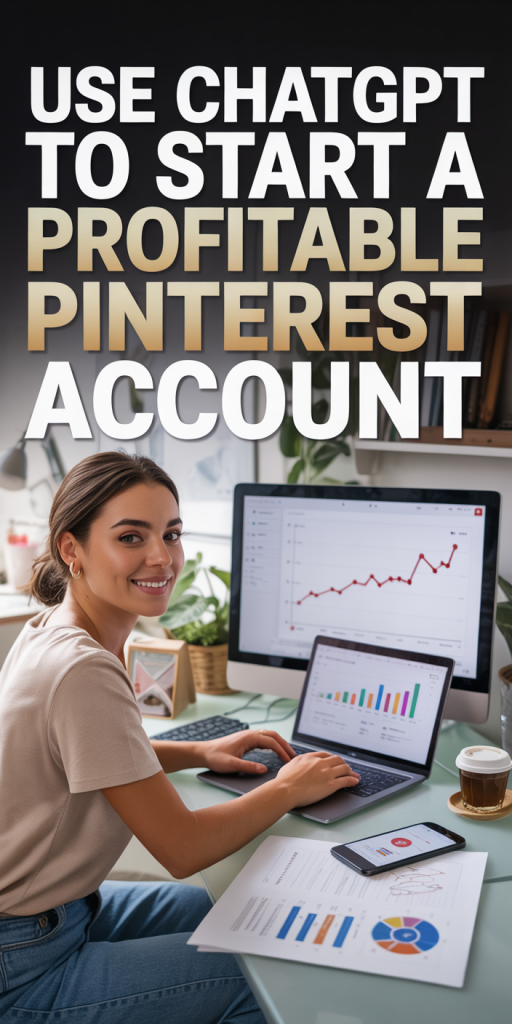
Grow, Monetize, And Scale Your Pinterest Account
Once Pins are consistently publishing and driving traffic, we focus on growth and monetization.
Growth tactics we recommend:
- Scale volume strategically: Increase posting frequency for top-performing pillars and reuse high-performing titles with new visuals.
- Keyword expansion: Use ChatGPT to mine related long-tail keywords and create fresh boards targeting them.
- Collaboration: Partner with complementary creators for co-branded Pins or cross-promotions.
- Email capture funnels: Route Pin traffic to a lead magnet (checklist, mini-course) to build an audience we control.
Monetization strategies:
- Affiliate marketing: Create product roundup Pins that link to affiliate posts or landing pages. Use ChatGPT to write comparison tables and affiliate disclosures.
- Own products or courses: Use Pins to drive traffic to product pages: ChatGPT helps craft persuasive product descriptions and launch email sequences.
- Sponsored content: As your profile grows, brands will pay for sponsored Pins or features: use ChatGPT to draft media kits and outreach templates.
- Promoted Pins: Test paid distribution for high-converting Pins to accelerate discovery. We ask ChatGPT to create ad copy variants and audience descriptions for ad sets.
Scaling operations:
- SOPs and templates: Save ChatGPT-generated prompts, copy templates, and design briefs as part of your SOPs so new team members can step in quickly.
- Outsource design: Hire a designer to produce batch images from our Canva briefs while we continue running ideation and optimization via ChatGPT.
We find reinvesting early profits into design and a small ad test budget speeds up growth and allows us to scale the account into a dependable revenue stream.
Conclusion
Learning how to use ChatGPT to start a profitable Pinterest account isn’t about replacing creativity, it’s about removing friction so good ideas get made and optimized faster. We use ChatGPT for niche validation, content calendars, SEO-rich copy, and automation prompts, pairing those outputs with visual tools and a few strategic paid tests. Start with a tight niche, batch plan a month of Pins, and use the data to iterate. Do that consistently and Pinterest becomes a reliable, compounding source of traffic and revenue.