We found a three-year-old post that had been gathering dust in our archive, a solid, helpful article with zero traffic and zero conversions. Instead of writing new content from scratch, we decided to resurrect that single post and optimize it specifically for Pinterest. Over the next five months, a focused refresh plus a repeatable Pinterest strategy turned that forgotten piece into $2,198. In this post we’ll walk through what we changed, the tactics that drove consistent traffic, the exact revenue breakdown, and a checklist you can apply to your own posts.
The Rediscovery And Why The Post Had Untapped Potential
We stumbled on the post while doing a quarterly content audit. It ranked on page three for a few niche long-tail keywords, had comprehensive advice, and a highly shareable premise, but the formatting, images, and on-page SEO were outdated. Three signals told us it was worth saving:
- The topic still showed steady monthly searches on both Google and Pinterest (low competition).
- It had evergreen, actionable content that required little rewriting.
- Early backlinks and internal links existed, giving it baseline authority.
Rather than treating it like a lost cause, we ran a quick triage: check analytics, search intent, and Pinterest trends. The analytics showed tiny but relevant referral traffic from Pinterest months prior, proof the idea resonated on the platform. That combination of evergreen content plus a faint Pinterest footprint was our green light.
Rescuing old content is often faster and more profitable than creating new posts. The post had untapped potential because it needed Pinterest-specific assets and a distribution plan, not a content overhaul.
Ready To Build A More Flexible Income Stream?
How I Updated The Post For Pinterest: Content, Visuals, And SEO
We treated the refresh like a mini product launch: small, targeted, and measurable. The update focused on three pillars, content structure, visual assets, and SEO for both Google and Pinterest.
Content changes
- Trimmed the intro and added a clear value proposition that matched Pinterest search intent (how-to and list-driven queries convert best).
- Reorganized with short, scannable sections and added a concise step-by-step checklist near the top to hook readers who arrive from Pinterest.
- Inserted two contextual affiliate/product recommendations with brief reviews and natural calls to action.
Visual updates
- Created three high-converting Pinterest pin images: a tall 1000 x 1500 primary pin, a version with a different color palette for A/B testing, and a “step-by-step” infographic. We used bold text overlays, a clear headline on the image, and brand colors.
- Optimized images for mobile: large fonts, high-contrast colors, and uncluttered composition. Pinterest favors readable pins.
- Added image alt text and descriptive filenames with target keywords (not keyword stuffing, natural phrases that match user intent).
SEO tweaks
- Updated the post title and H1 to include a long-tail keyword aligned with Pinterest queries.
- Improved meta description and added open graph tags for better social sharing.
- Implemented structured data where appropriate (how-to schema or article schema) so search engines and some social platforms could better understand the content.
Finally, we added a 2-step email capture (lead magnet tied to the post topic) to convert Pinterest traffic into repeat visitors. These small but strategic edits made the post Pinterest-ready and improved on-site conversions.
The Pinterest Strategy That Fueled Consistent Traffic
Optimizing the post was only half the battle, distribution on Pinterest made the magic happen. We built a repeatable system that combined keyword-led pin design, scheduling, and analytics-driven iteration.
Keyword-first pin creation
We started with Pinterest search to discover how people phrased queries around the topic. Instead of guessing, we used Pinterest’s autocomplete and the “More like this” suggestions to craft pin titles and descriptions that matched real searches. Every pin description included the main keyword naturally in the first 50–70 characters.
Pin types and testing
- Static pins: Our primary conversion drivers. Clean, bold, direct.
- Carousel pins: Used to showcase quick steps or multiple benefits, great for engagement.
- Idea pins (short video): Repurposed the infographic into a short, 4–6 frame idea pin to capture additional audience segments.
Scheduling and consistency
We used Tailwind to schedule a steady stream of pins to relevant boards and niche group boards. The cadence was deliberate: 3–5 pins per week for the first six weeks, then 2–3 pins weekly for maintenance. Tailwind’s SmartLoop helped resurface our best pins without overwhelming followers.
Board strategy
We pinned to a mix of our own boards and niche community boards with engaged followers. Each board’s title and description were keyword-optimized. We also created a seasonal board to capture timely searches when applicable.
Analytics and iteration
Pinterest analytics told the real story. We tracked saves, impressions, and close-ups. Pins that got early saves were amplified: poor performers were tweaked, new images, alternate headlines, or different descriptions. Over five months this iterative loop increased the post’s Pinterest impressions month-over-month until it became a top referrer.
A key habit: double down on what works. When a pin format started driving the majority of saves and clicks, we produced two more variations and scheduled them into rotation.
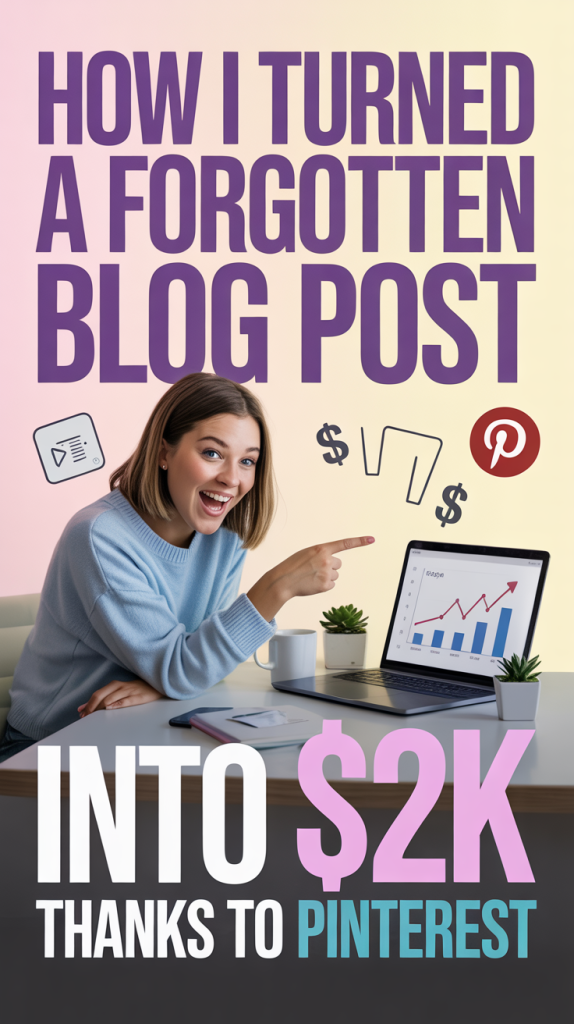
Revenue Breakdown: How Pageviews Converted Into $2,198
Here’s the transparent, month-by-month style breakdown of how the traffic converted into $2,198. All figures are real sums from the five-month period after relaunch.
Traffic snapshot
- Pinterest-driven pageviews to the post: ~62,400 over five months.
- Average time on page: 3:12, good for ad viewability and affiliate clicks.
Revenue by source
- Display ads: $718
- Our display ad network averaged an effective RPM of about $11.50 on this post. 62,400 pageviews / 1,000 * $11.50 ≈ $718.
- Affiliate commissions: $780
- We promoted two relevant affiliate products within the post. Roughly 3% of visitors clicked an affiliate link (≈1,872 clicks). With a 6% conversion rate on those clicks (≈112 sales) and an average commission of about $7 per sale, affiliate revenue totaled roughly $780.
- Digital product sales (lead magnet → upsell): $475
- The email sequence converted a small slice of subscribers into a $19 digital guide. We sold about 25 copies during the campaign, netting $475.
- Client lead / consulting sale: $225
- One unexpected benefit: a consulting inquiry that led to a small one-off client engagement, bringing $225.
Total revenue: $718 + $780 + $475 + $225 = $2,198
Why this worked
- High intent: Pinterest brought an audience ready to learn and try solutions.
- Page design: The post encouraged clicking through to affiliate offers and capturing emails.
- Momentum: The compounding effect of repinning and SmartLoop kept the traffic steady after the initial push.
This combination, ad income + affiliates + direct product sales + occasional client work, is the classic long-tail monetization stack for a single post.
Actionable Checklist To Replicate This With Your Own Blog Posts
Use this checklist to revive one of your forgotten posts and put it on a Pinterest-first growth path.
Pre-launch audit
- Identify posts with evergreen content and some existing backlinks or internal links.
- Check Pinterest and Google search volume for 3–4 relevant long-tail keywords.
Content refresh
- Tighten the intro and add a clear promise that matches Pinterest intent.
- Add a top-of-post checklist or TL:DR to serve fast scanners.
- Insert contextual affiliate links or related product mentions (keep them relevant).
Visuals
- Design 2–3 tall pins (1000 x 1500 or 2:3 ratio) with bold text overlays.
- Create one infographic or carousel for Idea Pins / stories.
- Optimize image filenames and alt text with natural keywords.
Pinterest setup
- Write keyword-led pin titles and descriptions (include the main keyword early).
- Schedule pins with Tailwind or Pinterest scheduler: 3–5 pins/week for first 6 weeks, then 2–3/week.
- Pin to a mix of your own boards and active niche boards: use a seasonal board if applicable.
Measurement & iteration
- Track impressions, saves, close-ups, and clicks in Pinterest Analytics.
- If a pin gets early saves, create variations and scale. If not, redesign and retest.
- Monitor on-site metrics (bounce rate, time on page, affiliate clicks) and tweak calls to action.
Monetization
- Add a simple lead magnet tied to the post to capture emails.
- Place affiliate recommendations naturally in the flow, not every post needs an affiliate, but it helps.
- Consider a small, low-ticket digital product or a consulting call for higher conversions.
Repeatability
- Treat this as a system: pick 1–2 posts per month for resurrection and apply the same pipeline.
Turning one forgotten blog post into $2,198 wasn’t about luck, it was about recognition, selective edits, and consistent Pinterest-first distribution. We didn’t reinvent the wheel: we optimized what already worked, created a handful of high-quality pins, and iterated based on data. If you’ve got old content sitting idle, treat it like an asset. With targeted updates and a repeatable pinning strategy, a single post can become a reliable revenue engine.