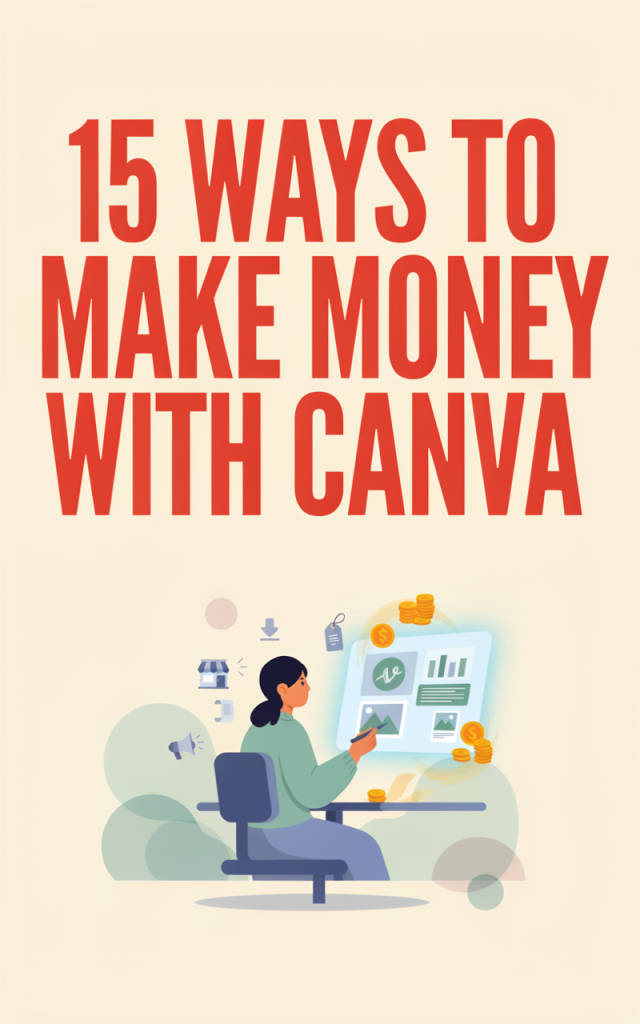
Canva is one of those tools that makes creativity feel achievable — even when you’re juggling naptimes, snacks, and school pickups. As a stay-at-home mom, you can turn simple designs into steady income by packaging your skills into products and services that sell. Below are 15 realistic ways to make money with Canva, each with practical setup steps and estimated startup costs so you can pick what fits your schedule and budget.
1. Create and Sell Canva Templates
Description: Design reusable templates for social posts, Instagram stories, resumes, media kits, or business cards. Busy entrepreneurs and other moms love ready-made layouts they can quickly customize.
Practical setup steps:
– Choose a niche (e.g., mompreneurs, real estate, teachers).
– Create 5–10 polished templates in Canva (include editable text and image placeholders).
– Export preview images and package the editable link or file.
– List products on Etsy, Gumroad, or your own shop.
– Promote via social and relevant groups.
Estimated startup costs: $0–$50 (Canva Pro if desired; small listing fees on marketplaces).
2. Design Pinterest Pin Templates to Sell or Manage
Description: Create eye-catching pin templates that bloggers and e-commerce owners can reuse. You can also offer a pin design service to clients.
Practical setup steps:
– Study high-converting pin styles on popular boards.
– Design a set of matching pins in Canva optimized for tall aspect ratios.
– Sell bundles on marketplaces or offer a monthly pin design service.
– Use targeted keywords and samples to attract buyers.
Estimated startup costs: $0–$30 (optional Canva Pro).
Note: When promoting pins, include your own referral-friendly resources for Pinterest marketing like this Pinterest resource.
3. Make and Sell Printable Planners, Worksheets, and Kids’ Activities
Description: Printables remain a strong passive income source. Parents and teachers buy planners, chore charts, coloring pages, and learning worksheets.
Practical setup steps:
– Research trending printable categories (e.g., morning routines, homeschool packs).
– Design multiple sizes (A4, US Letter) and a variety pack.
– Upload PDFs to Etsy or Teachers Pay Teachers.
– Optimize listings with clear previews and SEO-friendly descriptions.
Estimated startup costs: $0–$20 (listing fees; optional Canva Pro).
4. Offer Freelance Canva Design Services
Description: Offer custom social graphics, presentations, lead magnets, or ads on freelancer platforms.
Practical setup steps:
– Create a portfolio of Canva designs.
– Set up profiles on marketplaces like Upwork and Fiverr, highlighting fast turnaround and Canva expertise.
– Offer tiered packages (basic, standard, premium).
– Collect testimonials and upsell retainer packages.
Estimated startup costs: $0–$50 (profile setup free; optional paid promotion).
Helpful platforms: create an optimized profile on Upwork and list service packages on Fiverr.
5. Design eBook Covers and Interiors for Indie Authors
Description: Authors want professional-looking covers and interior layouts. Canva is perfect for quick, stylish eBook formatting.
Practical setup steps:
– Learn Kindle cover and interior specs.
– Create cover templates and interior chapter layouts.
– Offer bundled services (cover + interior) with clear deliverables.
– Market in author groups and on social media.
Estimated startup costs: $0–$30 (Canva Pro optional).
6. Create Lead Magnets for Bloggers and New Sites
Description: Offer opt-in freebies like checklists, cheat sheets, and mini-guides that bloggers can use to build email lists while they’re busy building content.
Practical setup steps:
– Target bloggers who are starting a blog and create niche-specific lead magnets.
– Design an editable Canva file and a downloadable PDF.
– Offer customization as an upsell.
– Deliver via email service or directly to clients.
Estimated startup costs: $0–$20 (email provider may have free tier; Canva Pro optional).
7. Sell Social Media Content Packs and Scheduling Templates
Description: Busy small business owners want ready-to-post caption templates, content calendars, and post graphics to plug into their workflows.
Practical setup steps:
– Build weekly or monthly content packs (graphics + caption prompts + calendar).
– Suggest tools and best practices for social posting.
– Offer packages that integrate with a social media scheduling tool recommendation for clients.
Estimated startup costs: $0–$25 (Canva Pro optional; small marketing costs).
8. Create Course Slides and Student Handouts
Description: Online course creators need attractive slide decks and downloadable handouts. You can design cohesive course brand templates in Canva.
Practical setup steps:
– Offer a slide template package and add-on handout designs.
– Provide editable Canva links and a PDF version.
– Market to coaches and online teachers on social platforms and course marketplaces.
Estimated startup costs: $0–$50 (Canva Pro optional).
9. Design Wedding and Event Invitation Templates
Description: Sell editable invitations, RSVP cards, and signage templates targeted at budget-conscious couples and party planners.
Practical setup steps:
– Create cohesive suites (invitation, RSVP, details card).
– Offer instructions for buyers to edit in Canva.
– List on Etsy and promote in local Facebook groups or wedding planning pages.
Estimated startup costs: $0–$20 (listing fees; Canva Pro optional).
10. Create Logos and Brand Kits for Small Businesses
Description: Offer logo sets, color palettes, fonts, and social media avatar/cover files that new businesses can instantly use.
Practical setup steps:
– Build a few logo concepts per package and present on mockups.
– Deliver editable Canva files and PNG/SVG exports if available.
– Upsell brand kit add-ons like business card templates.
Estimated startup costs: $0–$30 (Canva Pro optional, paid export formats).
11. Design Website Graphics, Hero Images, and Banners
Description: Many new sites need on-brand graphics: hero banners, CTA visuals, and blog feature images.
Practical setup steps:
– Offer packages that include a set number of website graphics sized for popular platforms.
– Suggest or help clients with website hosting options if they’re launching a new site.
– Deliver optimized PNG/JPEG files and editable Canva links.
Estimated startup costs: $0–$50 (Canva Pro optional; minimal marketing).
12. Build and Sell Survey and Feedback Templates
Description: Small businesses, bloggers, and coaches need simple feedback tools. Design beautiful survey templates and response-collection PDFs they can adapt.
Practical setup steps:
– Design printable or digital survey templates and instructions for use.
– Offer niche packs (customer feedback, course feedback, event RSVP).
– Promote to businesses focused on improving service.
Estimated startup costs: $0–$10 (Canva Pro optional).
If you want to include actual market data when collecting responses, consider tools that support doing/taking a survey process integrated into your workflow.
13. Create YouTube Thumbnails and Channel Art
Description: Many creators want thumbnails that boost clicks. Offer thumbnail bundles and channel art packages.
Practical setup steps:
– Design a consistent thumbnail template and a few variations.
– Create a package of 10–20 thumbnails for batch delivery.
– Offer fast turnaround to appeal to busy content creators.
Estimated startup costs: $0–$20 (Canva Pro optional).
14. Turn Designs into Physical Products via Print-on-Demand
Description: Use Canva to design mugs, t-shirts, tote bags, and wall art. Upload to POD services to sell without inventory.
Practical setup steps:
– Create print-ready PNGs with proper bleed and resolution.
– Set up stores on POD platforms (Redbubble, Printful with Etsy/shop).
– Promote to niche audiences through social media or your storefront.
Estimated startup costs: $0–$30 (mockup fees optional; initial marketing).
15. Design Sales Funnel Graphics and Lead Pages
Description: Create attractive lead-page graphics, opt-in forms, and downloadable offers that fit into a sales funnel for coaches and online sellers.
Practical setup steps:
– Design hero images, opt-in forms, and thank-you page graphics in Canva.
– Package them as a funnel-ready graphic set and include sizing specs.
– Market to course creators and digital marketers who want cohesive funnel visuals.
Estimated startup costs: $0–$50 (Canva Pro optional; possible landing page tool costs).
Canva opens doors to many flexible income streams you can scale at your own pace. Pick one or two ideas that match your strengths, set small weekly goals, and let your designs do the selling while you juggle the rest of life. You don’t need a lot of upfront investment — mostly time, creativity, and consistency — to start making money from home.