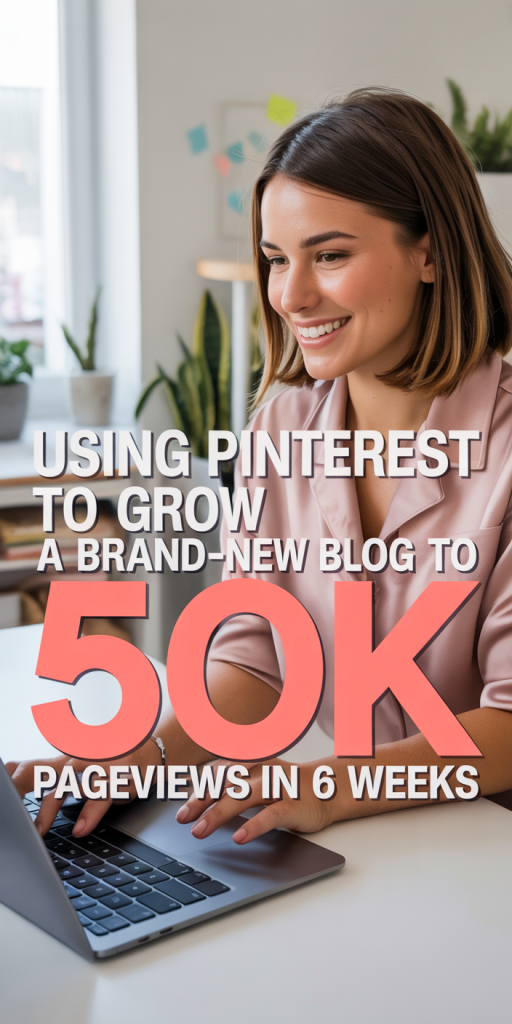
When we launched a brand-new blog, we didn’t have an email list, backlinks, or paid traffic. What we did have was a handful of focused posts and a willingness to treat Pinterest like a traffic engine, not just a place to pin pretty images. In six weeks, that approach drove 50,000 pageviews. Below we break down exactly what we did: the strategy, the creative and SEO decisions, the week-by-week implementation, the tools and metrics we tracked, and the repeatable checklist any blogger can use to hit similar results.
Quick Snapshot Of Results And Why It Matters
Quick snapshot
In week six we hit 50,000 pageviews from organic Pinterest traffic and referral engines tied to those pins. Our Pinterest account grew to consistent daily impressions in the tens of thousands, with click-through rates (CTR) on top-performing pins between 3–6% and several pins generating sustained traffic over multiple weeks.
Why this matters
Most bloggers treat Pinterest like social media, a place for sporadic pinning and hope. We treated it like search: research + intent-based creatives + repetition. That small mental shift accelerates results because Pinterest rewards relevance (keywords) and engagement (clicks and saves). For a new blog, this means you can build substantial, sustainable traffic without a big budget or large audience.
Ready To Build A More Flexible Income Stream?
My Starting Point, Goals, And Audience
We started with zero subscribers, three published posts, and a basic site theme optimized for mobile. Our goal was simple: validate content demand and hit 50,000 pageviews in six weeks to justify investing in more posts and freelance help.
Our audience was mid-career professionals looking for practical productivity and side-hustle advice, people who search Pinterest for how-to guides, checklists, and templates. That audience guided topic selection, pin copy, and the design choices we made: clear benefit-driven headlines, readable fonts on mobile, and a promise of quick, applicable wins.
The Pinterest Strategy That Drove Rapid Growth
We boiled our approach down to three pillars: targeted content, conversion-first pin design, and consistent distribution with iterative SEO.
Content Focus And Pillar Posts
We published 6 pillar-style posts in the first four weeks: long-form, actionable guides (1,500–2,500 words) with keyword-focused subheadings and downloadable templates. Each post targeted a single pain point (e.g., “30-Minute Systems for Getting More Done”) and had multiple internal links to keep visitors exploring the site.
Why pillars? They give Pinterest several angles to pin from: list images, how-to images, and template previews, each pin speaks to a slightly different search intent.
Pin Design Principles That Convert
We tested two visual systems and doubled down on the one that worked:
- High-contrast headline overlay (bold sans-serif), large enough for mobile.
- A sub-head that states the outcome (“Get 3 hours back per week”).
- One clear visual cue (document mockup, checklist, or face) to attract attention in the feed.
- Brand color accent and a small site logo for recognition.
We avoided clutter and made sure the headline read at a glance. Consistency matters: once a visual family performs, we replicated it across posts.
Pinterest SEO: Keywords, Titles, And Descriptions
We treated Pinterest like Google: keyword research + intent mapping. Steps we used:
- Keyword brainstorm from competitor pins and Pinterest search suggestions.
- Use primary keyword in the pin title and the first 50–60 characters of the description.
- Include 3–5 related keywords naturally in the description and a clear call to action (“Click to get the free template”).
- Add relevant hashtags sparingly (2–3) for immediate discoverability.
This increased impressions on target searches and ensured our pins surfaced for multiple queries.
Distribution: Scheduling, Automation, And Group Distribution
We used a mix of native scheduler and Tailwind. Our distribution rhythm:
- Publish 4–6 pins per new post (varying headlines, images).
- Schedule daily pinning at best-performing times (evenings and early mornings for our audience).
- Re-pin top performers to relevant group boards and our own boards with slightly tweaked descriptions.
- Use Tailwind Tribes to reach engaged pinners with similar niches.
Automation kept the cadence consistent without manual effort, and the combination of fresh pins + repeat distribution signaled relevance to Pinterest’s algorithm.
Week-By-Week Implementation Plan (What I Did Each Week)
Weeks 1–2: Setup, Content Creation, And Initial Pins
- Launched site with three long-form posts and created three pillar posts we’d publish in week 2.
- Set up Pinterest business account and verified the site.
- Designed 3–4 pins per post in Canva: published initial pins and scheduled repeats.
- Created 10 Pinterest boards that matched our content clusters and organized them with clear keywords.
Weeks 3–4: Optimization, A/B Testing, And Scaling
- Published the remaining pillar posts and uploaded 4–6 new pins per post.
- Started A/B testing pin headlines and images, tracking CTR and saves.
- Identified top-performing boards and moved more pins there.
- Tweaked post CTAs and added a single high-value opt-in (lead magnet) to capture emails from the new traffic.
Weeks 5–6: Amplify Traffic, Monitor Trends, And Iterate
- Doubled down on the top 3 pins and created 5 variants for each (color, headline, image).
- Increased scheduled pin volume for winners and used Tailwind’s SmartLoop for evergreen pins.
- Monitored trending keywords on Pinterest and adjusted descriptions to capture emerging queries.
- Focused on improving on-site conversion (reduce bounce, faster CTAs) so the traffic translated into subscribers and deeper engagement.
Metrics, Tools, And How I Tracked Progress
Key Metrics To Watch And How To Read Them
- Impressions: early indicator of keyword visibility.
- Saves: signal of pin quality and intent to revisit: high saves predict long-term traffic.
- CTR (clicks/impressions): the most direct predictor of site traffic, improve pin copy to raise CTR.
- Closeups: measures curiosity: if closeups are high but CTR low, the pin image is working but description or landing page isn’t.
- Google Analytics: sessions, bounce rate, and time on page to judge content fit.
Tools I Used For Scheduling, Analytics, And Design
- Tailwind: scheduling, SmartLoop, and Tribes for distribution.
- Canva: fast templates for pin variations.
- Pinterest Analytics: impressions, saves, closeups by pin.
- Google Analytics & Search Console: on-site behavior and keyword lift.
- Bitly: clean UTM links for tracking specific pins in GA.
How I Turned Data Into Tactical Changes
We scanned the top 10 pins weekly and pulled three actions:
- If CTR was low but impressions high: rewrite pin headline and description.\
- If saves were low: redesign image to be more utility-driven (add checklist or “free download” badge).\
- If traffic dropped but impressions stayed: check site speed and UX: a slow landing page kills momentum.
Small, data-driven changes every 3–4 days compounded into big traffic swings.
Key Learnings, Common Mistakes, And Actionable Recommendations
Biggest Wins To Repeat
- Publishing pillar content that solves a clear problem. Those posts earned repeat traffic and multiple pin angles.
- Creating 4–6 pin variations per post. One winning variation often drove 60–70% of the traffic.
- Prioritizing CTR over aesthetics. A bold headline that reads on mobile beats a pretty but vague pin every time.
Mistakes To Avoid And How To Recover
- Mistake: Pinning once and moving on. Recovery: schedule repeats and create variations: Pinterest favors consistent signals.
- Mistake: Skipping verification and metadata. Recovery: verify your site, claim Pinterest, and add schema where possible.
- Mistake: Ignoring landing page experience. Recovery: speed up images, add a clear CTA, and reduce distractions.
Quick Checklist For Bloggers Starting On Pinterest
- Create pillar posts that solve specific problems (1,500+ words).
- Design 4+ pin variations per post (mobile-first).
- Do keyword research and use primary keyword in pin title + first line of the description.
- Schedule daily pinning with Tailwind or native scheduler: use SmartLoop for evergreen content.
- Track impressions, saves, CTR, and Google Analytics sessions weekly and iterate.
Getting 50,000 pageviews in six weeks wasn’t magic, it was the result of treating Pinterest like a search engine, making clear creative choices, and iterating fast on data. For new bloggers, Pinterest can be the fastest path to meaningful traffic if you focus on pillar content, design for mobile-first clicks, and maintain a ruthless testing cadence. Start small: publish a solid post, make several pins, and commit to consistent distribution for the next six weeks. If we can do it from zero, you can too.