Pinterest isn’t just a platform for pretty pictures; it’s a powerful tool for selling digital products. With its visually-driven nature, it attracts millions of users searching for inspiration and solutions. I’ve found that leveraging Pinterest can turn casual browsers into loyal customers, all while you focus on other aspects of your business.
Understanding Pinterest for Digital Products
Pinterest’s visual appeal and extensive reach position it as a powerful tool for selling digital products. I leverage this platform to engage potential customers who actively seek inspiration and solutions.
The Power of Visual Marketing
Visual marketing effectively captures attention and boosts engagement. I utilize striking images and infographics to showcase my digital products, ensuring they resonate with target audiences. According to studies, content with visuals receives 94% more views than text-only content. By designing eye-catching pins, I transform casual browsers into engaged users, encouraging them to explore my offers.
Why Pinterest is Ideal for Digital Products
Pinterest thrives on inspiration and planning, with 85% of users using the platform to start new projects. I find that this aligns perfectly with digital products such as e-books, online courses, and printables. Users frequently search for specific solutions, making it easier for me to target niche markets. Additionally, Pinterest’s long content lifespan allows my pins to generate traffic for months, leading to consistent sales over time.
Ready To Build A More Flexible Income Stream?
Setting Up Your Pinterest Business Account
Setting up a Pinterest Business account is essential for selling digital products effectively. It offers tools and insights that enhance marketing strategies focused on driving sales.
Creating a Business Profile
Creating a business profile requires a few straightforward steps. First, visit the Pinterest Business website and select “Join as a Business.” Fill in the required fields, including business name, email, and password. After that, customize your profile by adding a profile picture, which can be your logo, and writing a brief bio that reflects what I offer. This bio should clearly highlight the digital products available, enticing visitors to explore my offerings. Lastly, confirm my email address to activate the business account, unlocking access to Pinterest’s powerful business tools.
Optimizing Your Profile for SEO
Optimizing my profile for SEO boosts visibility on Pinterest. Start by using relevant keywords in the profile name and bio to ensure my account appears in search results. For example, if I sell digital planners, including phrases like “digital planners” and “downloadable templates” can attract targeted traffic. I also utilize rich pins that provide additional context about my products, enhancing user engagement. Keeping my profile updated with fresh keywords and images consistent with my brand establishes authority and credibility, which ultimately drives more traffic and sales.
Designing Compelling Pins
Creating visually appealing pins is crucial for attracting clicks and conversions on Pinterest. Effective designs not only grab attention but also communicate your brand’s message and product value.
Using Eye-catching Graphics
Using high-quality images is essential for standing out in crowded feeds. Incorporating bold colors can stimulate interest and elicit emotional responses. Choosing images that depict your digital products in action helps potential customers visualize their benefits. Designing graphics with a vertical ratio of 2:3 ensures optimal display on Pinterest, as this format maximizes visibility. Utilizing text overlays on images clarifies the pin’s message, making it more engaging. Adding your brand logo subtly enhances brand recognition while reinforcing consistency across your pins.
Writing Persuasive Descriptions
Writing compelling descriptions boosts the discoverability of your pins. Including relevant keywords in the first sentence increases the chances of appearing in search results. Crafting concise and informative text not only informs but also compels users to act. Emphasizing the problem-solving aspect of your digital products can resonate with potential customers. Using a clear call-to-action at the end encourages users to click through to your website. Keeping descriptions between 150-300 characters balances providing enough information without overwhelming the reader.
Automating Your Pinterest Marketing
Automating your Pinterest marketing streamlines the process and maximizes efficiency. By using smart scheduling and evergreen content, I can maintain a consistent presence on the platform while focusing on other aspects of my business.
Scheduling Pins with Automation Tools
Scheduling pins using automation tools simplifies posting processes. I use tools like Tailwind, Buffer, or Planoly to plan my content in advance. These platforms allow me to set specific times for pinning, ensuring my posts reach audiences during peak engagement hours. Automation not only saves time but also provides insights through analytics, enabling me to adjust strategies based on performance metrics.
Creating Evergreen Content
Creating evergreen content guarantees sustained engagement over time. I focus on topics that remain relevant regardless of trends, allowing my pins to generate traffic continuously. Examples include how-to guides, resource lists, and tips related to digital products or services. For best results, I regularly update these pieces to keep them fresh and aligned with current user interests. This approach ensures that my pins remain visible and valuable to my audience long after their initial share.
Tracking and Analyzing Performance
Tracking and analyzing performance on Pinterest is crucial for optimizing the sales of digital products. Utilizing data helps refine strategies, ensuring better engagement and conversion rates.
Using Pinterest Analytics
Pinterest Analytics offers valuable insights into audience behavior and engagement. I can evaluate metrics like impressions, clicks, and saves to understand which pins resonate. Key data points include:
- Impressions: Measure how many times pins appeared in users’ feeds.
- Engagements: Track the total interactions, including saves and clicks, providing insight into content efficacy.
- Profile insights: Analyze audience demographics and interests to tailor content for specific groups.
By regularly monitoring these metrics, I can identify top-performing pins and optimize future content accordingly.
Adjusting Strategies Based on Data
Adjusting strategies based on analytics ensures continuous improvement. Here’s how to implement changes:
- Prioritize successful content: Focus on refining and repurposing high-performing pins by enhancing descriptions or modifying images.
- Experiment with posting times: Analyze engagement patterns and adjust scheduling to target peak user activity periods for maximum visibility.
- Refine keywords: Use data insights to identify valuable keywords that drive traffic, integrating them into pin descriptions for better SEO outcomes.
- Test different formats: Experiment with varying pin formats, such as static images, videos, or carousel posts, to see what resonates best with my audience.
By consistently analyzing performance data and adjusting strategies, I secure a more effective approach to selling digital products on Pinterest.
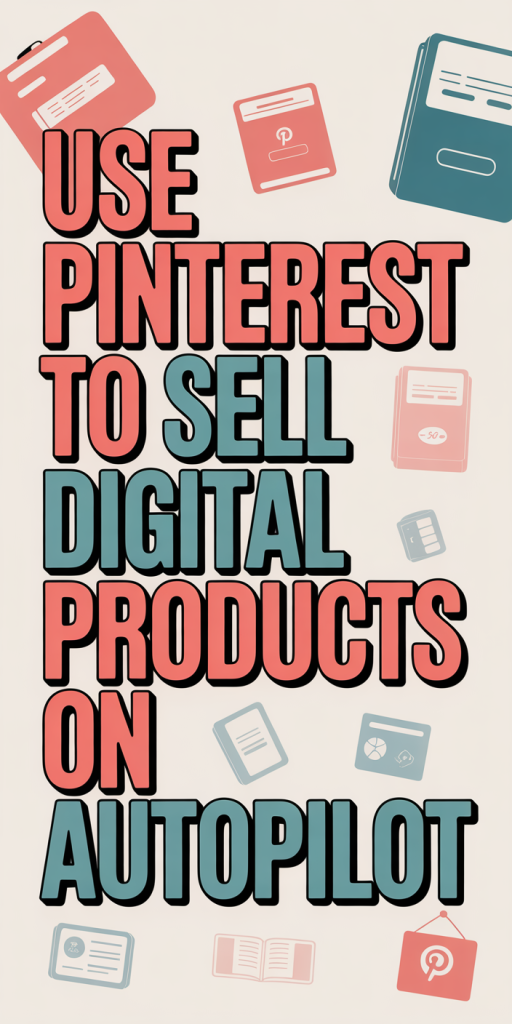
Using Pinterest to sell digital products on autopilot is an exciting opportunity for anyone looking to grow their business. By leveraging its visual nature and extensive reach I can attract potential customers actively seeking inspiration. With the right strategies in place like optimizing my profile and designing eye-catching pins I can create a steady stream of traffic and sales.
Automation tools make it easier to manage my presence while I focus on other aspects of my business. Tracking performance through Pinterest Analytics allows me to refine my approach continuously. As I implement these strategies I’ll find that Pinterest not only drives sales but also helps build a loyal customer base. Embracing this platform could be the key to unlocking my digital product success.