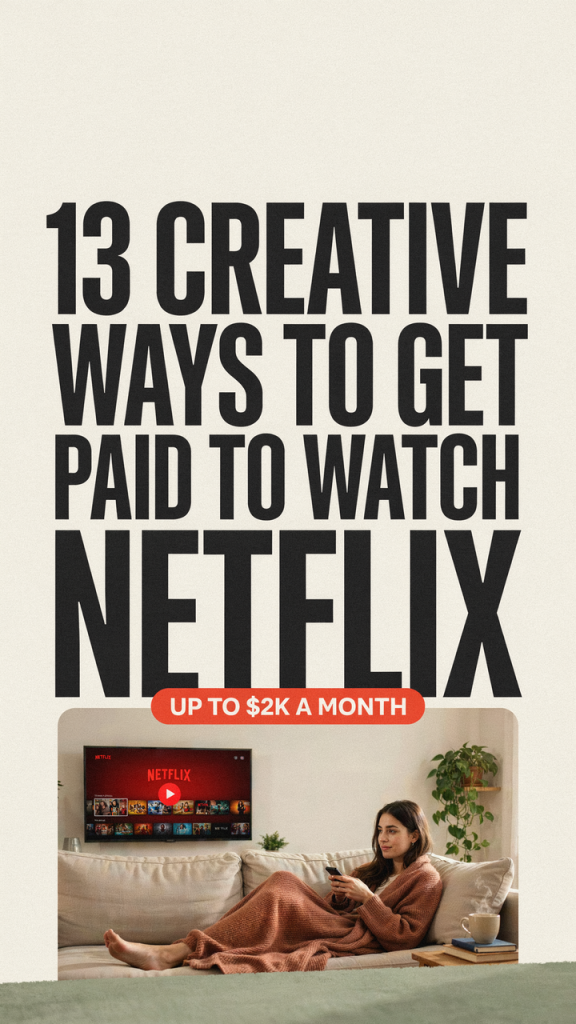
Want to turn your Netflix binges into real income without leaving the house? As a busy stay-at-home mom, you can absolutely make watching shows into a flexible, rewarding side hustle that fits nap schedules and school runs. Below are 13 creative, practical ways to get paid to watch Netflix — each with step-by-step setup tips and realistic startup-cost estimates so you can pick what fits your time and budget.
1. Paid Content Tagger / Metadata Reviewer
Description: Streaming platforms and data labs hire people to watch shows and tag scenes, moods, or content (age-related items, descriptions, etc.). This helps recommendations work better — and you can get paid per hour or per task.
Practical setup steps:
– Create profiles on freelance platforms like Upwork and Fiverr offering metadata tagging services
– Take any qualification tests required by employers or data-labeling platforms
– Set up a simple spreadsheet or project tracker to log paid tasks and timestamps
Estimated startup costs: $0–$50 (internet, optionally a better headphones/microphone).
2. Subtitling, Captioning & Transcription
Description: Many creators and companies need accurate transcripts or subtitles for clips and episodes. If you can type well and keep up with dialogue, this is a steady way to earn while watching.
Practical setup steps:
– Practice transcription using free audio clips to increase WPM
– Sign up on freelance sites like Upwork and Fiverr
– Use free or low-cost captioning tools (Aegisub, Otter.ai for drafts) and clean them up manually
Estimated startup costs: $0–$75 (software subscriptions optional).
3. Streaming QA Tester
Description: Platforms hire QA testers to spot bugs, streaming glitches, or subtitle errors while watching shows. This is ideal for detail-oriented moms who like to problem-solve.
Practical setup steps:
– Look for QA gigs posted on job boards and Upwork
– Prepare a bug-report template (timecode, device, description, screenshots)
– Log your sessions and build references by delivering clear, timely reports
Estimated startup costs: $0–$50 (screenshot tools, optional bug-tracking account).
4. Paid Survey & Focus Group Participant About Shows
Description: Companies run surveys and focus groups about viewer opinions. Watching a show and answering a survey or joining a discussion can earn you quick cash.
Practical setup steps:
– Register with reputable survey panels and market-research recruiters that pay for media feedback
– Opt in for focus-group invitations (they often pay more)
– Keep a calendar of show-watching to match study requirements
Estimated startup costs: $0.
5. Start a Niche Netflix Review Blog
Description: Write binge guides, episode recaps, and recommendations for a niche audience (e.g., family-friendly series or true-crime doc users). Monetize with ads, affiliates, and sponsored posts.
Practical setup steps:
– Learn how to start a blog using this guide: starting a blog
– Get reliable website hosting and set up a simple theme
– Promote posts on Pinterest and repurpose reviews into social clips or email newsletters
Estimated startup costs: $30–$150 (hosting, theme, domain).
6. YouTube Show Reviewer / Reaction Channel
Description: Record short reviews, reactions, or “what to watch next” videos. With consistent uploads you can grow ad revenue, sponsors, and affiliate income.
Practical setup steps:
– Script short, punchy video outlines after each episode
– Use basic recording gear (phone or webcam) and edit with free tools
– Use a social media scheduling tool to plan posting times and cross-promote on platforms
Estimated startup costs: $0–$200 (camera upgrades, editing software).
7. Edit and Sell Social Clips from Shows (Rights-Permitting)
Description: Some creators need short highlight reels or recap clips for promotion. If you can isolate scenes (within copyright rules) and create sharable content, brands and influencers will pay.
Practical setup steps:
– Offer teaser and recap clip editing services on Fiverr and Upwork
– Keep a portfolio of short clips that showcase your editing style
– Use a social media scheduling tool to propose posting plans to clients
Estimated startup costs: $0–$150 (editing software upgrades).
8. Write Episode Recaps & SEO Articles for Fan Sites
Description: Fan sites and entertainment blogs need timely recaps and SEO-optimized articles. If you can write quickly after an episode airs, editors will pay per piece.
Practical setup steps:
– Pitch to entertainment blogs and fan sites via email or freelance platforms (Upwork)
– Use keyword research to find low-competition topics tied to episodes
– Deliver one or two recaps a week to build a consistent income stream
Estimated startup costs: $0–$50 (SEO tools optional).
9. Curated “What to Watch” Newsletter (Paid Subscribers)
Description: Build a paid newsletter recommending Netflix picks (family movie nights, quick thrillers). You watch, curate, and write concise recommendations people will pay for.
Practical setup steps:
– Choose a newsletter platform, then use a simple sales funnel to convert free readers into paid subscribers
– Send regular recommendation rounds and occasional deep-dive bonus content
– Promote signups on Pinterest and your social channels
Estimated startup costs: $0–$100 (email platform fees, minor promotion costs).
10. Create a Paid Watch Party or Club
Description: Host live watch parties with commentary, discussion, or analysis. Charge admission or add a monthly membership for exclusive sessions.
Practical setup steps:
– Pick a platform to host (Zoom, Discord) and set a schedule that fits school runs
– Set pricing and use a simple landing page or checkout inside a sales funnel to manage signups
– Offer extras like Q&A or printable discussion guides
Estimated startup costs: $0–$50 (platform subscriptions, optional membership tools).
11. Sell Show-Themed Printables, Planners, or Merch
Description: Create downloadable bingo cards, watch-party kits, or printable trackers for parents or fans to enjoy during family movie nights.
Practical setup steps:
– Design printables in Canva or hire designers on Fiverr
– Sell them in a small shop or via your blog/email list (use website hosting if selling on your own site)
– Promote with themed Pinterest pins on Pinterest
Estimated startup costs: $0–$100 (design tools, listings).
12. Voiceover or Promo Reader for Trailers and Clips
Description: If you have a warm, clear voice, companies and creators need voiceover for promos, trailers, and highlight reels.
Practical setup steps:
– Build a short demo reel and post services on Fiverr and Upwork
– Invest in a decent USB mic and learn basic audio editing
– Offer quick turnaround packages for social clips
Estimated startup costs: $50–$250 (microphone, basic editing software).
13. Label Data for AI: Scene & Emotion Annotation
Description: Companies training AI models pay people to label scenes, emotions, or actions in videos. Your careful watching helps machines learn — and you can often work at your own pace.
Practical setup steps:
– Search for data-labeling projects on freelance platforms or specialized data services
– Complete required qualification tasks and follow detailed labeling guidelines
– Track your throughput and accuracy to qualify for higher-paying batches
Estimated startup costs: $0–$25 (quality headphones, maybe a faster internet plan).
Watching Netflix can be more than relaxing — it can be a practical way to earn flexible income that fits your family life. Pick one or two ideas that match your skills and time, start small, and scale up as you find what works. With consistency, many stay-at-home moms build these into reliable monthly income streams without sacrificing family time.