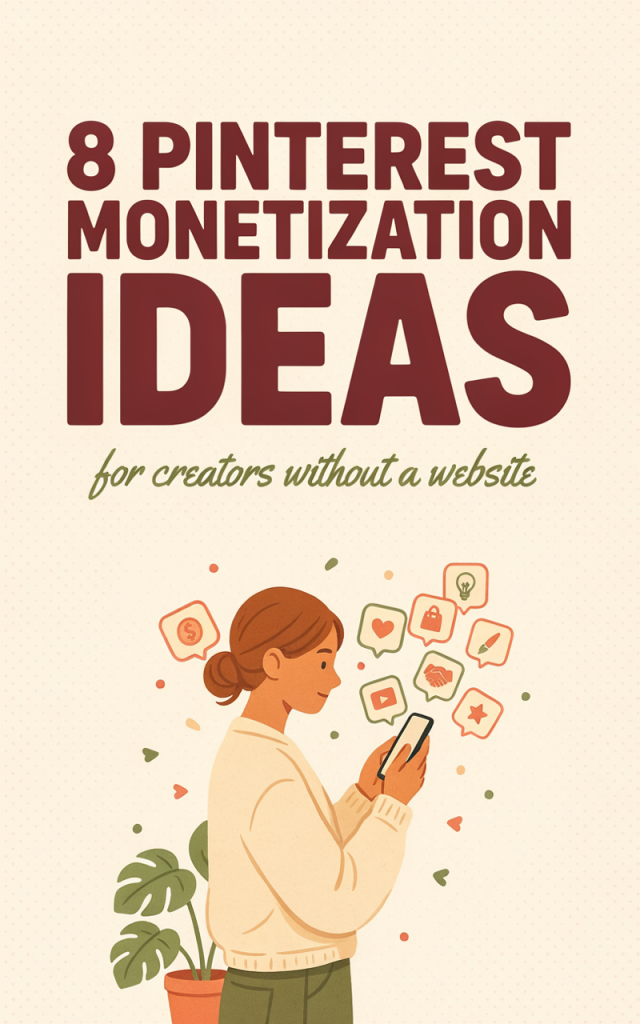
Pinterest can be a predictable, low-overhead income channel for creators who don’t run a blog. Its audience arrives with visual search intent — people pin images to save ideas, plan purchases, and research projects — which makes Pinterest a strong top-of-funnel for product, service, and affiliate conversions that don’t require a full website. This article gives a step-by-step, blog-free blueprint: how to pick a revenue model that suits your skills, create conversion-focused pins and profiles, route traffic to link-in-bio pages, marketplaces, course platforms or booking pages, and then test, track, and scale within a 90-day launch plan.
Choose the right revenue model for your skills and audience
Pick a primary revenue model first; the right choice keeps your funnel simple and repeatable. Below are practical pros/cons, expected effort, and when to pick each.
- Digital products (printables, templates, presets)
- Pros: High margins, instant delivery, easy to list on platforms like Gumroad or Etsy. Scales well.
- Cons: Requires product creation time and compelling thumbnail/preview files.
- Effort: Medium upfront; low maintenance.
- Good for: Designers, planners, social-media templates, photographers (presets).
- Marketplace listings (Etsy, Shopify, other storefronts)
- Pros: Built-in customers, easy checkout, trust signals. Shopify offers more brand control.
- Cons: Fees and listing optimization needed; discoverability varies.
- Effort: Medium ongoing (listings, photos, fulfillment for physical goods).
- Good for: Makers, print-on-demand sellers, physical product creators.
- Affiliate marketing (direct affiliate links or link-in-bio)
- Pros: No product creation, fast to start, leverages product reviews and gift guides.
- Cons: Commission-only; requires trust and good descriptions; some networks restrict placements.
- Effort: Low-medium.
- Good for: Reviewers, niche curators, tool instructors.
- Services and bookings (consulting, freelance gigs, local appointments)
- Pros: High per-sale revenue; personal relationships drive repeat business.
- Cons: Limited scale unless you package or raise prices; requires scheduling and sales follow-up.
- Effort: Ongoing; time is the main constraint.
- Good for: Coaches, designers, writers, photographers, local pros.
- Courses and paid workshops (hosted on course platforms)
- Pros: Premium pricing, recurring cohorts, high perceived value.
- Cons: Course production time; need good onboarding and support.
- Effort: High upfront; scalable later.
- Good for: Educators, creators with repeatable frameworks.
- Sponsored content & creator payments (platform or brand deals)
- Pros: Predictable per-project revenue once you have an audience.
- Cons: Requires audience or niche authority; relationships take time.
- Effort: Medium; negotiation skills help.
- Good for: Influencers and niche experts.
Decision guidance: if you want fastest path to income with minimal upkeep, pick digital products + marketplace listings or affiliate offers. If you have time and a premium skill, prioritize service packages or a mini-course. You can mix — start with a low-effort digital product or affiliate picks while building toward higher-ticket services or courses.
Ready to turn an idea into practical income?
Set up a conversion-ready Pinterest presence
A business account optimized for conversions matters more than follower counts. Follow this checklist to make your profile a landing page that pushes traffic to your chosen destination.
Profile checklist
– Switch to a Pinterest Business account (free). This enables analytics and ads.
– Claim accounts you control (Instagram, YouTube) so your content shows as verified.
– Profile photo: clear headshot or product logo; keep it readable at small sizes.
– Username and display name: include a searchable phrase (e.g., “Sarah Lane • Wedding Printables”) but keep it natural.
– Bio: one tight sentence that states who you serve + what you sell. Add a short CTA (“Shop printables below”).
– Website field: place your primary link-in-bio or shop URL here — this is the main outbound link on profile.
Board strategy that converts
– Create 8–12 focused boards that mirror buyer intent (e.g., “Budget Wedding Stationery,” “Home Office Printables”).
– Use keyword-friendly board titles and descriptions.
– Pin both your own content and high-quality repins to increase impressions and saves.
– Keep most boards public and organized; one private drafts board is fine for upcoming launches.
Profile content schedule
– Post 8–12 pins/week to start: a mix of new pins, refreshed pins (same link, new creative), and curated saves.
– Use Pinterest’s scheduler or a third-party tool to spread pins across optimal times.
– Save performance-winning pins to multiple relevant boards to extend reach.
Conversion-ready details
– All pins should link to a single chosen destination per campaign (avoid sending different pins to different random pages unless you’re testing).
– Use UTM parameters on every outbound link so you can separate Pinterest traffic and conversion performance in your destination platform’s analytics.
– Add clear, consistent CTAs in both pin text overlay and the description.
Pin types and creative best practices that convert
Understand the three primary pin types and how to use them in funnels.
Standard pins (static)
– Best for clear value propositions: “Printable budget planner — instant download.”
– Template layout: tall image (2:3 or 1000×1500), top 1/3 headline, middle visual/product preview, bottom small logo and CTA.
– Headline formulas: “How to [Result] in [Time]”; “[Noun] templates to [Benefit]”; “The beginner’s [Tool] checklist.”
– CTA examples: “Download now,” “View listing,” “Book a consult.”
Video pins
– Use 15–60 seconds to show product use, before/after, or quick tips.
– Add captions and a short overlay headline in the first 3 seconds; show the product being used.
– Looping short demos are great for digital templates, presets, and mini-tutorials.
Idea pins (multi-step tutorials)
– Use for how-tos that position you as expert and build trust without an external click. Idea pins are for inspiration and can include multiple slides to tell a micro-story (problem → solution → result).
– Include a slide at the end with a strong CTA to “See full product” or “Book a consult” in the description with a link.
Reproducible pin template (simple, repeatable)
– Canvas: 1000×1500, vertical.
– Top: value headline (bold, large).
– Middle: product mockup or lifestyle image (clear, single focal point).
– Bottom: two-line supporting text + small logo + colored CTA strip.
– Colors: high contrast; brand color for CTA; avoid overly busy backgrounds.
– Fonts: readable at mobile sizes; use one display and one body font.
Copy best practices
– Title in pin and first 50–100 characters of description should include the main keyword.
– Keep descriptions benefit-focused: what the user gets and how they access it.
– Use 1–2 hashtags for discoverability and a clear disclosure hashtag (#affiliate or #ad) when required.
Creative testing routine
– Create 3 variants of every new pin: A (standard headline), B (different image), C (video or carousel). Run them organically for 1–2 weeks to compare saves and clicks before promoting.
Keyword strategy for Pinterest search
Pinterest is a visual search engine that relies on keywords. You don’t need paid tools to find high-intent terms.
How to find keywords
– Use Pinterest search autocomplete: type seed terms and note suggested phrases.
– Inspect top pins for a keyword: open a high-ranking pin and read its title and description for related terms.
– Check related searches at the bottom of search result pages for long-tail ideas.
Where to use keywords
– Pin title: primary keyword first.
– Description: natural language with benefits, 1–2 secondary keywords, and CTA.
– Board title and description: include a primary category keyword to help Pinterest categorize your pins.
– Alt text (where available): use one succinct keyword phrase for accessibility and SEO.
Quick validation without tools
– Create a pin with a tested keyword and schedule it. Track impressions, saves, and outbound clicks over 2 weeks. If impressions and saves grow but clicks are low, try a stronger CTA or a new destination link.
– Use engagement as demand signal: high saves + low clicks often means strong interest but friction at the destination.
Organizing keywords
– Keep a simple spreadsheet with columns: keyword, search intent (research/purchase), relative performance (impressions/clicks/saves), and notes for variations to test.
Link destinations that work without a blog
Not all destinations are equal; choose the one that matches your transaction type and trust needs. Below are practical options and setup tips.
Link-in-bio landing pages (Linktree-style, Carrd, Beacons)
– Pros: Centralized hub; easy to update; track clicks and order of links.
– Cons: Extra step for users; limited checkout capabilities (unless you integrate).
– Setup tips: Use a clean layout with 3–6 primary CTAs (Shop, Digital Downloads, Bookings, Affiliate Picks). Add a short benefit sentence and a branded image. Use UTM parameters for each link to separate traffic sources.
Etsy and other marketplaces
– Pros: Trusted checkout, discovery potential, easy delivery for digital items.
– Cons: Fees and less control over branding.
– Setup tips: Use strong thumbnails showing the product in use; include a short video in the listing; write a keyword-rich title and 40–250 word description with bullet points for deliverables. Pin directly to the listing URL and add UTM tags if supported.
Shopify and self-hosted storefronts
– Pros: Full brand control, easier bundling and upsells.
– Cons: More setup cost/time.
– Setup tips: Optimize product pages for mobile, include a one-click sample download or gallery images, and add a short FAQ to reduce buyer hesitation.
Gumroad, Payhip, and digital delivery platforms
– Pros: Instant digital delivery, easy funnels, and promo discount codes.
– Cons: Fees; limited storefront customization.
– Setup tips: Use clear thumbnails and multiple preview files. Add a short welcome email that clarifies next steps.
Course platforms (Teachable, Podia, Thinkific)
– Pros: Built-in checkout and hosting for course content, coupons, and affiliate setups.
– Cons: Course production time.
– Setup tips: Create a compelling landing page with a curriculum snapshot, testimonials, and a limited-time launch price. Pin a short trailer video or a “start here” image to drive enrollments.
Scheduling/booking pages for services (Calendly, Acuity)
– Pros: Removes back-and-forth; quick conversion for service-based selling.
– Cons: May require pre-call qualification for higher-ticket offers.
– Setup tips: Use a short sales page (on a link-in-bio or platform landing page) that lists packages and includes a “Book consult” CTA linking to the scheduler. Offer a low-cost discovery call to reduce friction.
Direct affiliate links
– Pros: Fastest to implement.
– Cons: Some affiliate programs restrict link placement on platforms — check terms.
– Setup tips: Use a link shortener with UTM parameters and always disclose.
Practical routing rules
– Single offer = link directly to product page or booking page.
– Multiple offers = link to a link-in-bio hub with 3–6 clear CTAs.
– Higher-priced offer = route to a short landing page that warms prospects with benefits, an FAQ, and a booking or purchase CTA.
Affiliate marketing on Pinterest without a site
Affiliate funnels on Pinterest can be high-velocity if you pick the right products and follow disclosure rules.
Choosing affiliate programs
– Pick products that fit your niche and have good creative assets (product images, demo videos).
– Use networks that permit social placement of links; if a network disallows direct placement, route to a link-in-bio landing page with affiliate links instead.
Creative pin ideas that convert
– “Before/after” pins that show results achieved with the product.
– “Top 5” roundup pins where each image links to the affiliate link or a link-in-bio page with the list.
– Short demo videos showing setup or the unboxing experience.
Compliant descriptions and disclosures
– Always disclose affiliate relationships in the description (e.g., “This post contains affiliate links — I may earn a commission at no extra cost to you.”).
– Use clear language near the top of the description and include a disclosure hashtag like #affiliate or #ad.
– For intellectual transparency, add a short line on your link-in-bio landing page or the checkout page of the destination platform stating the same.
Tracking and link management
– Use UTM parameters to identify which pins drive the most clicks.
– Consider a link shortener or a link-in-bio platform that provides click analytics so you can measure click-through rate (CTR) without a site.
– Keep an affiliate performance log: pin ID, creative variant, date posted, clicks, conversions, and commissions.
Caveats and network rules
– Some affiliate programs (particularly high-paying ones) require approval to use social links; read the terms.
– Avoid spinning up misleading pins; be honest about the product’s use case to reduce returns and complaints.
Selling digital products, printables, and booking services (combined tactics)
Digital products and service bookings are natural pairings on Pinterest. This section gives product ideas, listing and pricing guidance, and a sample service funnel with follow-up copy templates.
Product ideas that perform on Pinterest
– Printables: planners, checklists, wedding suites, party kits, wall art.
– Templates: social-media templates, pitch templates, resume templates.
– Creative assets: Lightroom presets, fonts, mockup bundles.
– Mini-courses or micro-guides: short courses packaged for immediate implementation.
Fast product creation and listing checklist
– Create a simple, high-value core product (20–40 minutes one-time tasks for templates; 1–3 hours for a printable bundle).
– Produce 3–6 preview images: cover, sample pages, lifestyle mockup, example in use.
– Make a concise listing description: problem → what’s included → how it’s delivered → usage rights.
– Price testing: start with a lower introductory price for new listings, then test incremental increases or bundle offers.
Thumbnail and description tips
– Thumbnail must read at mobile size: bold headline overlay, small mockup, and a CTA like “Instant download.”
– Use 3–5 bullet points in descriptions for scannability.
– Offer an FAQ line addressing refunds, file types, and support.
Service funnel example (pin → booking)
– Pin: an image showing outcome (before/after), headline: “1-hour website audit for solopreneurs,” CTA: “Book a discovery call.”
– Landing (link-in-bio or short page): short value-first paragraph, checklist of deliverables, pricing tiers, testimonials, clear Book button.
– Booking page: time slots, intake form with 3 qualifying questions, automated email confirmation that includes calendar add and payment details if required.
Follow-up templates (service leads)
– Confirmation email snippet: “Thanks for booking — I’ve received your details. Please complete this short form to help me prepare [link]. I’ll call you at [time].”
– Post-call upsell: “Thanks — here’s a 2-page recommendations PDF for your site. If you’d like implementation, I offer a 3-hour package at $X.”
Pricing strategy tips
– Price services relative to immediate value: if a 1-hour consult saves a client hours of work, price accordingly.
– Offer a lower-priced entry call (15–30 minutes) as a lead magnet, then upsell packages.
– For digital products, use tiered bundles (single product, bundle of 3, premium bundle with a bonus) to increase average order value.
90-day launch plan (practical timeline)
– Week 1–2: Choose revenue model, set up business account, create link-in-bio and primary product/offer. Build 10–12 initial pin creatives (3 variants per offer).
– Week 3–4: Begin posting schedule (8–12 pins/week). Track impressions, saves, and clicks. Tweak headlines and descriptions.
– Week 5–8: Run small paid tests ($5–10/day per top-performing pin) to validate conversion rates. Optimize landing pages and product thumbnails based on CTR.
– Week 9–12: Double down on 2–3 best-performing funnels. Improve follow-up emails, introduce limited-time discounts or bundles, and expand pin variations. Start outreach for affiliate or sponsored partnerships if appropriate.
Simple tracking metrics to watch
– Impression growth (signals reach and keyword fit).
– Save rate (engagement; higher is better for organic reach).
– Click-through rate (CTR) to your destination; aim to improve via creative and CTA tweaks.
– Conversion rate on destination (purchase, booking, sign-up).
– Revenue per click (total revenue divided by clicks) — helps prioritize funnels when scaling ads.
Low-cost ad options to accelerate results
– Promote your top organic pins with $5–10/day to increase distribution and test landing conversion.
– Use automatic targeting for early tests, then switch to keyword-targeted audiences when you identify best-performing keywords.
– Retarget engaged users (saves or close-ups) with a follow-up pin that offers a discount or limited content to encourage conversion.
Legal and FTC best practices
– Always include a clear affiliate or sponsored disclosure near the top of pin descriptions and on the landing page.
– For product claims, be accurate and avoid promises you can’t verify.
– Keep receipts and records for sales and affiliate payments for tax purposes; consult a tax professional for specific guidance.
Final note: scale sensibly
– After the initial 90 days, reinvest a portion of profits into creative (better mockups, lifestyle photography) and small ad budgets. Use analytics to stop underperforming pins and double down on formats and keywords that convert.
– Focus on repeatable funnels: pin → destination (one clear offer) → follow-up communication. Repeat that funnel with new offers rather than chasing many different directions.
You don’t need a blog to make Pinterest a reliable income channel. With a clear revenue model, conversion-ready profile, repeatable pin templates, targeted keywords, and the right destination pages, you can build compact funnels that convert. Start small, measure clicks and conversions, and iterate — the simplest, well-tracked funnels often outperform complex setups.