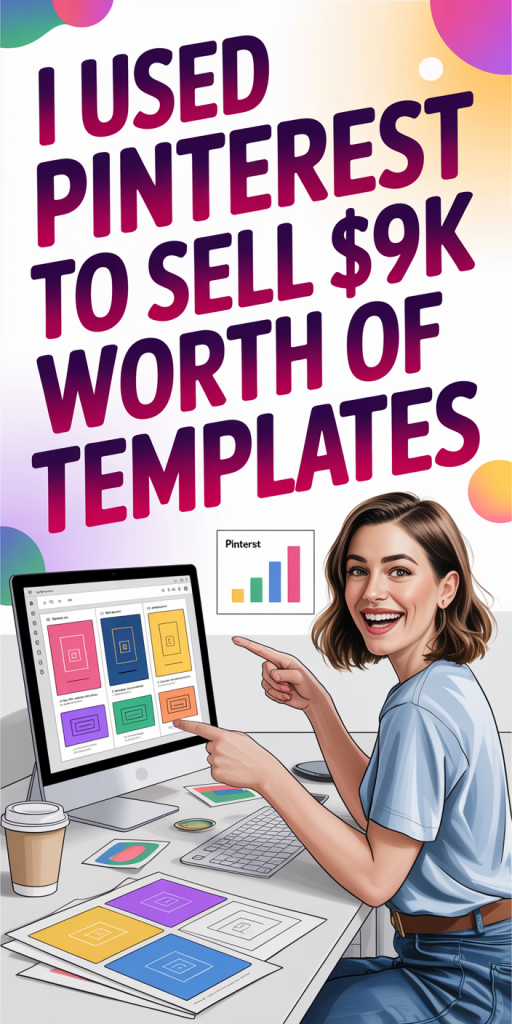
We didn’t expect Pinterest to become one of our top sales channels, but by treating it like search + visual marketing instead of just a social feed, it delivered. Over a seven-month period we launched a small collection of downloadable templates and used a repeatable Pinterest system to drive buyers. In this text we walk through exactly what we sold, why Pinterest worked for templates, the step-by-step system we used for profile, pins, and posting, and how we turned pin clicks into $9,312 in revenue, all with tools and tactics you can copy.
What I Sold, When, And The Results
We focused on digital templates that solve repeatable tasks: social media post templates (Canva-ready), email newsletter templates, and a small set of website/lead-magnet templates. We launched the first collection in January 2024 and iterated over the next six months, releasing new bundles and seasonal designs.
By July 2024 our Pinterest-driven sales totaled $9,312. That revenue came from a mix of single-item purchases and higher-priced bundles, our average order value landed in the high-$50s once we introduced bundle pricing and upsells. We tracked the attribution using UTM parameters and saw that roughly 60–70% of our organic traffic for template landing pages originated from Pinterest pins.
Highlights of the results:
- Total revenue from Pinterest: $9,312 over seven months.
- Organic Pinterest clicks to site: roughly 17,000 (cumulative).
- Conversion rate (Pinterest landing page visitors to purchase): ~2.1% after optimizations.
- Email captures from free sample templates: ~1,400 leads, which helped fuel repeat sales.
Those raw numbers aren’t magic, what mattered was structure. We treated each pin as a micro-ad, set expectations correctly, and optimized the landing experience so Pinterest traffic converted at a predictable rate.
Ready To Build A More Flexible Income Stream?
Why Pinterest Worked For Selling Templates
Pinterest behaves like a hybrid of search engine and visual discovery platform, people are often explicitly looking for solutions (e.g., “Instagram templates for photographers”) and they expect to click through to an actionable resource. That intent + visual cue made Pinterest an especially good fit for templates.
Three reasons Pinterest worked for our templates:
- Intent-driven discovery
Users come to Pinterest to plan and execute projects. Templates are a direct, actionable solution to those projects, so pins that promise a finished, customizable outcome matched user intent.
- High-quality visual previews
Templates are inherently visual. We can show multiple variations in a single pin, demonstrate “before → after” results, and include clear text overlays like “Editable Canva Template” or “30‑Minute Setup.” Those cues helped pins stand out in searches and feed results.
- Evergreen traffic
Unlike short-lived social posts, a well-optimized pin can generate clicks for months. We saw steady, compounding traffic as more pins gained impressions and repins across related boards.
Pinterest’s search and related-results algorithms reward relevancy and consistency. Once we prioritized keyword-rich pin titles/descriptions and a steady pin cadence, impressions and clicks scaled without proportionally increasing ad spend.
My Step-By-Step Pinterest System (Profile, Pins, And Posting)
We built a system that’s simple to repeat and scales. Below are the concrete steps and the exact tactics we used.
Profile & Board Setup
- Optimize the profile: clear business name, searchable bio with 2–3 target keywords (for us: “Canva templates,” “Instagram templates,” “newsletter templates”), and a link to a primary landing page.
- Create niche boards: each board targets a micro-intent (e.g., “Instagram templates for photographers,” “Blog post templates for coaches”). Board titles and descriptions include long-tail keywords.
- Pin organization: keep at least 10–15 pins per board (a mix of our pins and curated content) so the board looks active and useful to Pinterest’s algorithm.
Pin Creation (Design + Copy)
- Visual format: vertical images (2:3 ratio) with clean, readable text overlays. We created 3–5 variations per offer: a lifestyle mockup, a close-up of the template, and a step-based explainer.
- Messaging: lead with the benefit (e.g., “Grow your Instagram in 15 minutes with editable templates”) and include a subtle brand logo.
- SEO in copy: use the primary keyword in the pin title and sprinkle secondary keywords in the description. Add 3–5 relevant hashtags and a CTA like “Tap to customize in minutes.”
- Use video pins: where possible we created short 6–12 second clips showing drag-and-drop editing, these increased saves and clicks.
Posting & Scheduling
- Frequency: we published 1–3 new pins daily and repinned our top-performing pins weekly.
- Scheduling tools: we used a scheduler to maintain consistency and post during peak engagement windows (evenings and mid-morning, depending on audience).
- Testing: every batch of pins had one control (the original design) and at least two variations to test copy, color, and CTA placement.
Measurement & Iteration
- KPIs: impressions, saves, link clicks, CPC for promoted pins, and conversion rate on landing pages.
- Iterate fast: when a pin hit a 0.5–1% CTR on impressions, we created more variations and placed them on related boards. Pins with low CTR were retired or redesigned.
This system let us scale impressions first, then focus on the small subset of pins that drove the majority of clicks and purchases.
How I Turned Pin Traffic Into Paying Customers (Landing Pages, Offers, Pricing)
Getting clicks is only half the job. Converting Pinterest visitors into buyers required a frictionless landing experience and a few behavioral nudges.
Landing Pages That Convert
- Single offer focus: each landing page highlighted one template (or one bundle) with a clear hero image, a short benefit-driven headline, and three short bullets: what’s included, ease of use, and delivery method.
- Instant preview: we embedded a slide carousel and short demo video so visitors could immediately see the product without scrolling forever.
- Fast checkout: we used a hosted checkout (Gumroad and Shopify Lite in different tests) to reduce friction. The fewer clicks to purchase, the higher the conversion.
- Mobile-first: because most Pinterest traffic is mobile, we kept pages lean, with big CTAs and minimized form fields.
Offers & Pricing
- Anchor pricing: we showed a “single” price next to a “bundle” price to create a value anchor. Bundles increased average order value significantly.
- Limited-time incentives: occasional 10–15% discounts targeted only at Pinterest visitors using a UTM-tagged code, sparse use preserved perceived value.
- Free sample lead magnet: we offered a smaller free template in exchange for an email. That list converted at higher rates with targeted email sequences.
Post-Click Nurture
- Welcome sequence: new email subscribers received an automated 3-email sequence, get the free file, examples of how to use it, and a targeted offer with social proof.
- Cross-sell on thank-you pages: after purchase we suggested complementary templates and an instant upsell (add-on for $9) which increased revenue per buyer.
- Retargeting: for visitors who clicked but didn’t buy, we ran low-cost retargeting ads on both Pinterest and Facebook with the exact pin creative they engaged with.
What moved the needle
- Bundles + checkout simplicity increased AOV and reduced cart abandonment.
- A single strong CTA and immediate preview reduced bounce and helped visitors make faster purchasing decisions.
- Email capture and a short, value-focused nurture sequence produced repeat sales and referrals.
With these conversion pieces in place, our 2%ish conversion rate was sustainable and predictable, turning consistent pin traffic into consistent revenue.
Pinterest became a reliable revenue channel because we treated it like both search and paid ads: we optimized for discoverability, created visually persuasive pins, and engineered low-friction conversion paths. The $9,312 milestone wasn’t an overnight win, it was the result of testing, iteration, and treating every pin as a measurable experiment.
If you’re selling templates, start small: pick one clear offer, design 3–5 pin variations, and map a single landing page that closes the loop. Focus on bundles, mobile-first pages, and quick previews to reduce buyer hesitation. Most importantly, measure: impressions tell you whether your SEO is working, clicks tell you whether your creative works, and conversions tell you whether your pricing and landing experience are aligned.
We’d encourage you to replicate the system, optimize a profile, design pins like mini-ads, and tighten the checkout, and watch how predictable, low-cost Pinterest traffic can turn into real sales for digital products.